Skip to content

Note & loan servicing, in the cloud

Servicing software
for the notes you hold.

NoteHarbor is the servicing back office for private lenders and seller-finance note holders. Penny-accurate amortization and waterfall, payments, escrow, 1098 & Metro 2, and a borrower portal, plus Note Bot and a built-in team workspace.

No credit card to start · Every servicing feature, not a demo

Every surface

One system. Three ways to use it.

Service the book on the web. Check it securely from your phone. Work the deal math anywhere, before the note ever reaches your portfolio.

Web platform

Available now

The servicing command center

Every note, wrap, and converted rental in one book, on one auditable ledger.

  • Payments, applied properlySeven ways to apply one, suspense for a short payment, and curtailments that shorten the loan instead of the payment.
  • Escrow, taxes, insuranceRunning balances, disbursements, and an annual analysis held to the RESPA cushion cap.
  • Year end paperwork1098, 1099-INT, 1099-A, 1099-C, and Metro 2, generated from the ledger you serviced against.
  • Wraps and whole structuresA wrap note links to the debt underneath it, and the cashflow nets out across the structure.
  • Partners and investorsSplit a note across partners, then issue their statements and disbursements from the same book.
  • Defensible by defaultEvery person has their own seat, and every edit keeps a reason with its before and after values.
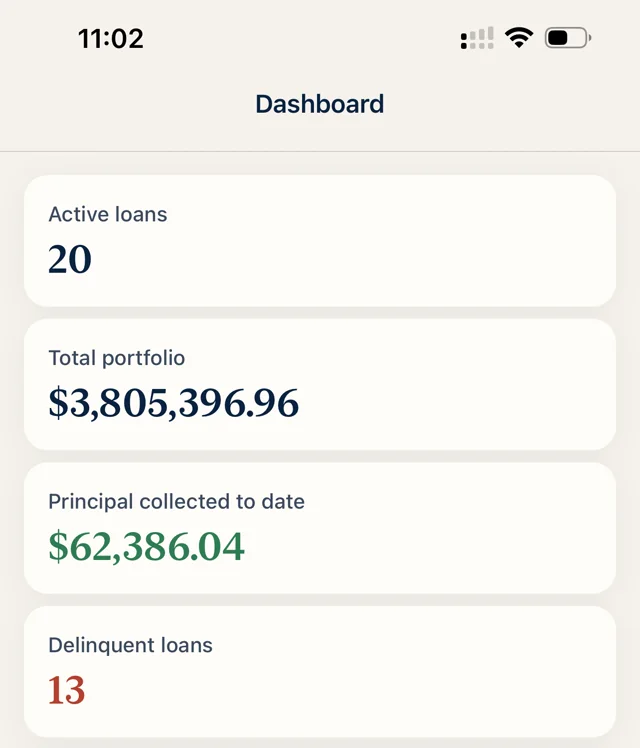
NoteHarbor Mobile dashboard totals
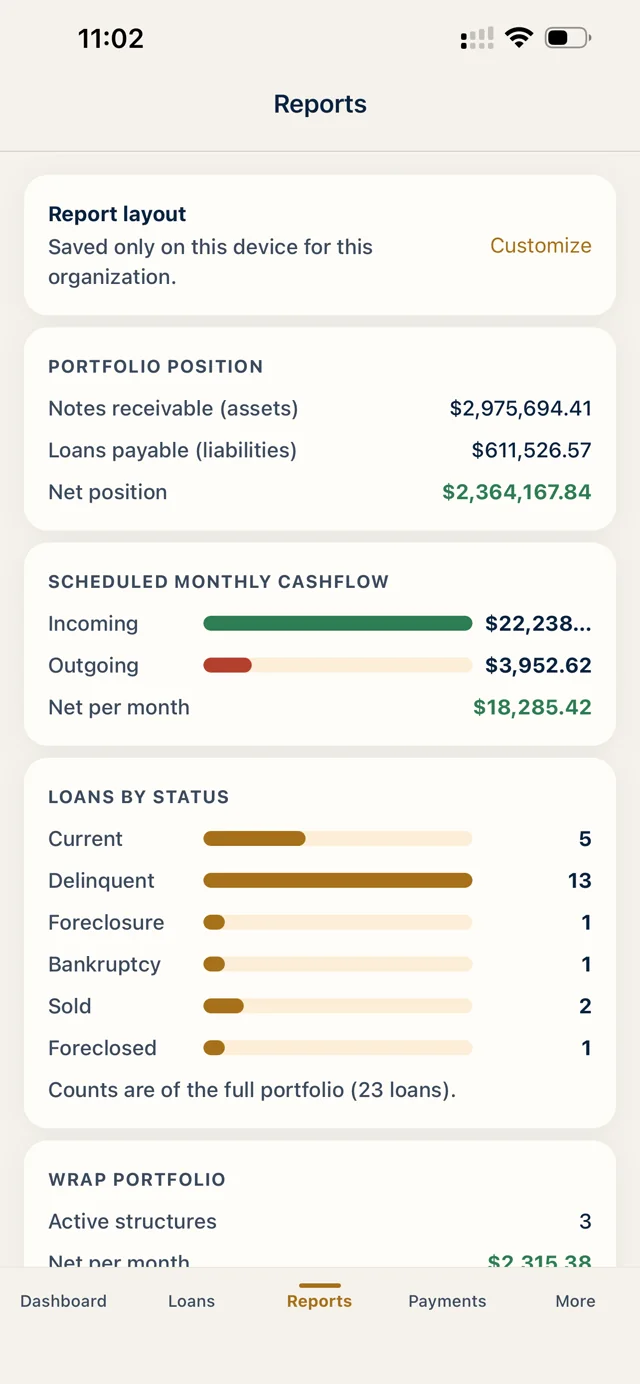
NoteHarbor Mobile reports screen
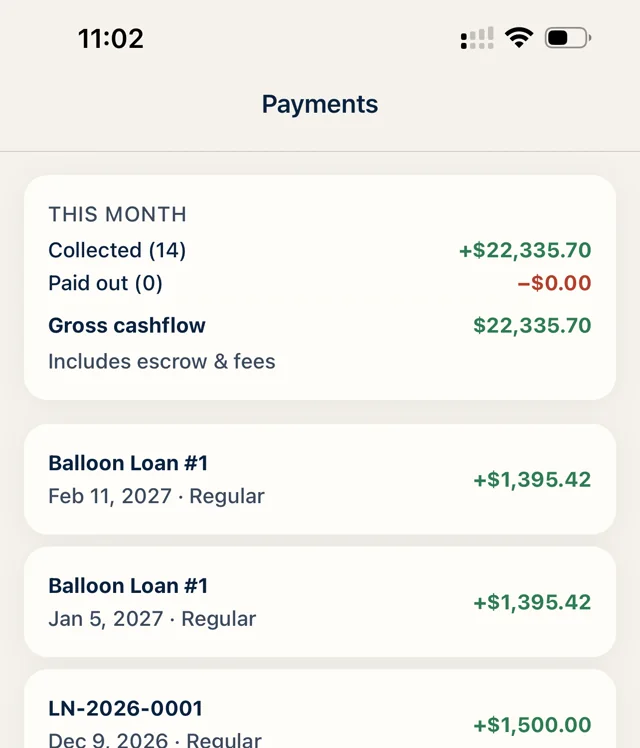
NoteHarbor Mobile payments summary

Mobile companion

Available now

Your portfolio, in view.

Balances, due dates, and payment activity wherever the day takes you.

  • The book in your pocketEvery loan with its balance, counterparty, status, and next due date.
  • Down to the noteTerms, parties, escrow, lifetime totals, and the payments recorded most recently.
  • Your account, your organizationThe same login as the web app, opened to the organization you pick.
  • Read only by designIt cannot record, edit, or delete anything. The book only changes on the web.
Download on theApp StoreComing soon toGoogle Play

Free calculator

Free on web

The deal math, done right. In your pocket.

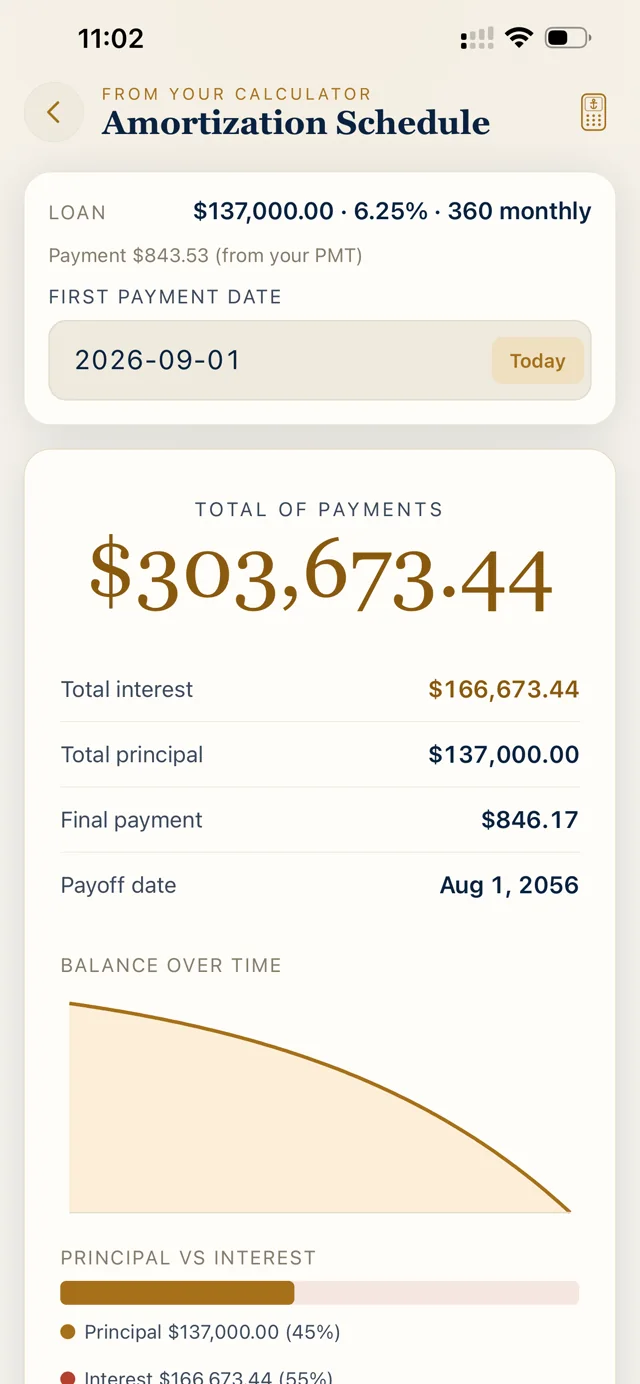
The NoteHarbor Calculator runs the numbers the way a note buyer actually works a deal. Solve for any piece of the loan, pull the full amortization schedule on the spot, and price a note to the yield you want before you write the offer. Every figure lands in whole cents, the same discipline the platform itself runs on.

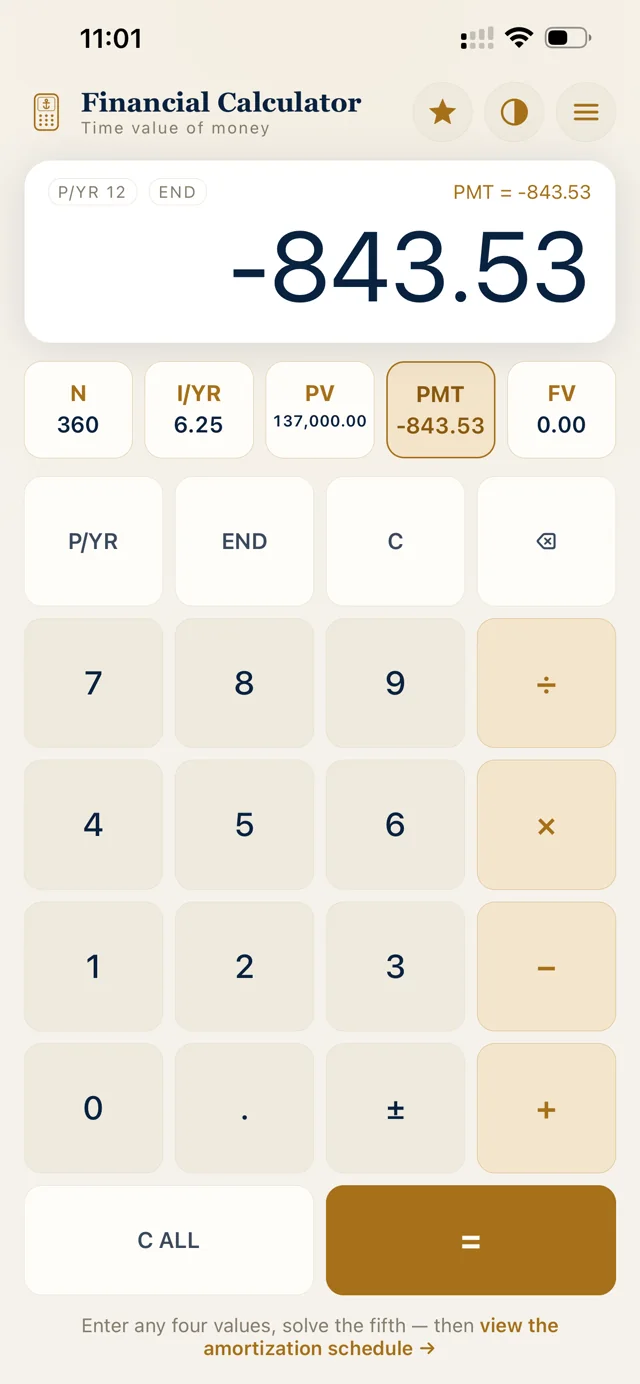
  • Solve any variable: payment, rate, term, or price
  • Full amortization schedules, row by row
  • Price to yield and discount bid math built in
  • Free to use, no account needed
Payment on $120,000 at 9.5% for 360 months
$1,009.03
Yield if you buy that note at $96,000
12.3%
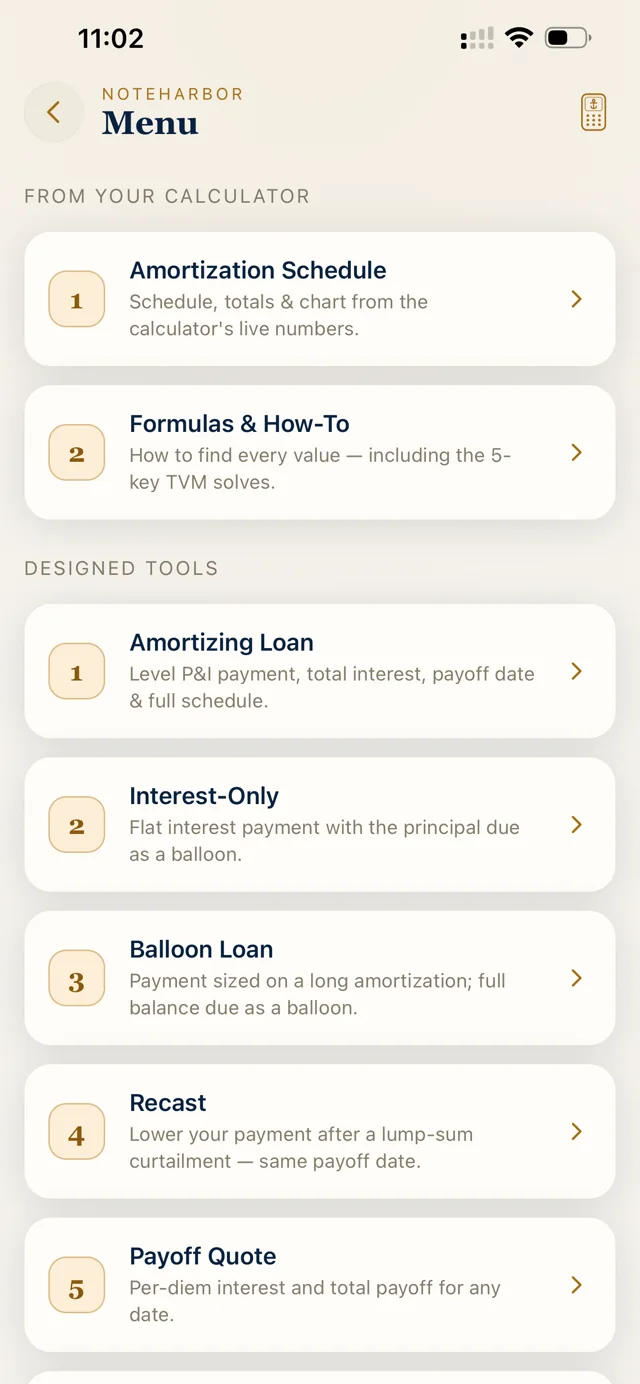
NoteHarbor Calculator tools menu
NoteHarbor Calculator solve screen
NoteHarbor Calculator amortization schedule

Deal Stack

Free on iPhone

Price the creative exit before you sign.

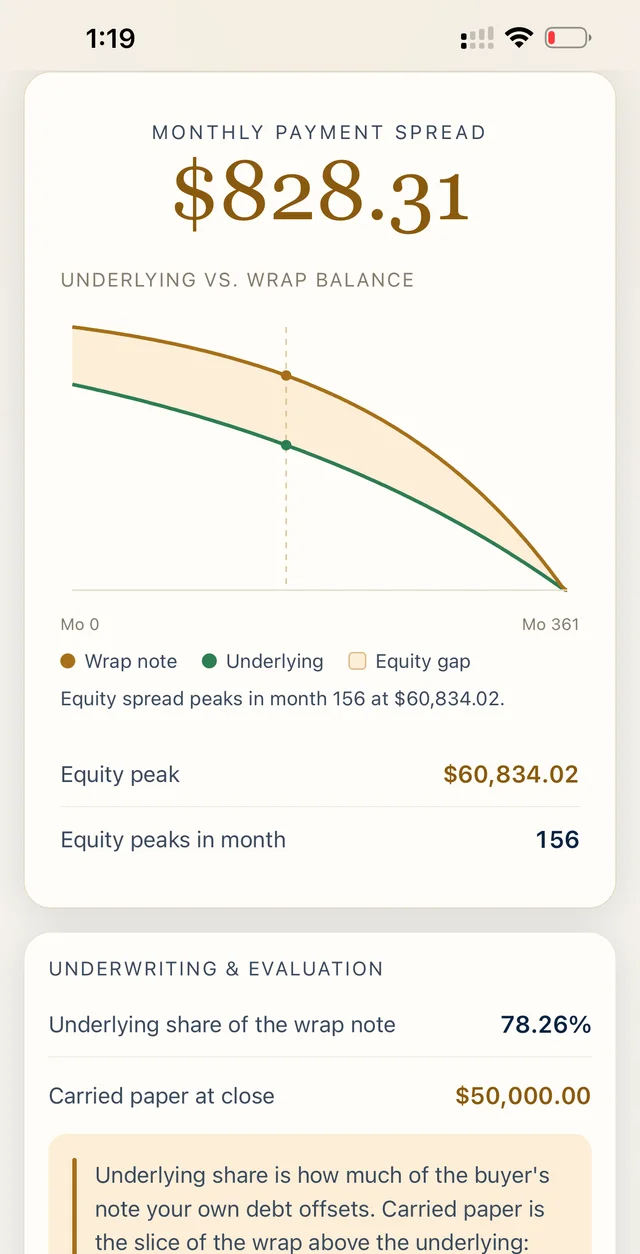
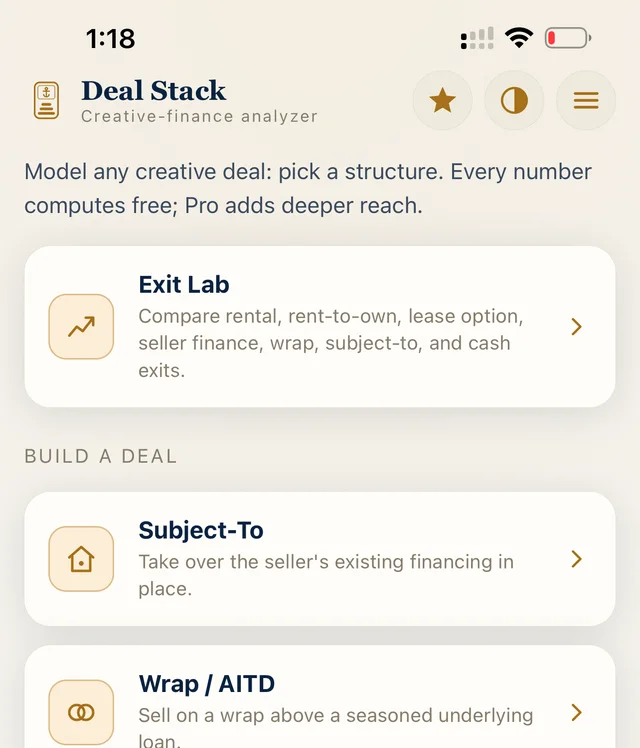
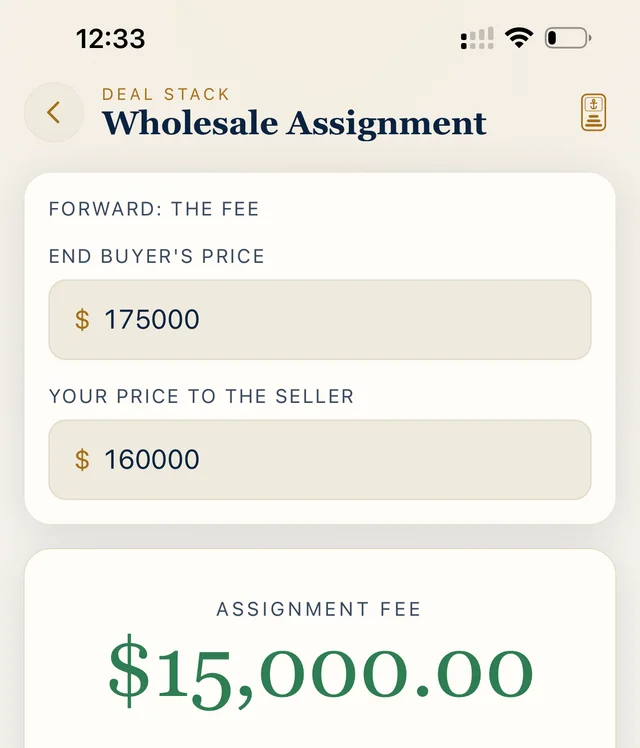
The NoteHarbor Deal Stack works the whole deal, not just the payment. Six structures live in one offline app: subject to, wrap and AITD, rental, BRRRR, fix and flip, and wholesale assignment. Every figure lands in whole cents with statement rounding, the same discipline the platform runs on. All six are free with no account and no login. Deal Stack Pro is a one time $6.99 unlock for full timelines, Exit Lab returns, and PDF or PNG exports.

  • Six deal structures, one projection engine
  • Wrap and underlying loan on one dual chart
  • Whole cents, statement rounding, balloon warnings
  • Free with no account. Pro is a one time $6.99
Deal Stack wrap chart
Deal Stack home screen
NoteHarbor Deal Stack wholesale assignment screen

Start with the math

Run a deal for free. Bring the note over when it is real.

No account for the calculator. No credit card for the 14 day servicing trial.

Get the NoteHarbor Calculator and Deal Stack on the App Store above. The web calculators are available now too.

What it actually does

Servicing mechanics, not a spreadsheet with a login.

Each of these is a shipped surface you can open on day one of the trial. NoteHarbor records and applies payments against your ledger; it is not a payment processor and never moves your money.

Payment waterfall

Seven ways to apply a payment: regular, P&I-only, principal-only, escrow-only, interest-only, payoff, and prepaid interest and fees. Underpayments hold in suspense, overpayments route where you tell them, and a curtailment re-projects the remaining schedule at the contractual payment rather than shrinking it.

RESPA escrow analysis

Running escrow balance, tax and insurance disbursements, and an annual analysis held to the 12 CFR 1024.17 cushion cap. A shortage generates a borrower invoice; nothing posts to the ledger until the money actually arrives.

Late-charge engine

Grace period, flat or percentage late charge, and a running fee balance kept per note. The app asks before it touches a late charge, so a fee never quietly eats scheduled principal.

1098, 1099 & Metro 2

Form 1098 for borrowers, 1099-INT for note owners, 1099-A and 1099-C on disposition, 1099-NEC for rental vendors, and Metro 2 credit-bureau reporting. Every one of them is generated from the same ledger you service against, so the forms and the book cannot disagree.

Foreclosure timeline

An auditable timeline from first notice through sale across eighteen event types, with reminder dates surfaced the moment they go overdue and cost receipts captured against the case.

The whole life of a note

Current, delinquent, default, forbearance, bankruptcy, foreclosure, paid off, charged off, closed, sold. Wraps and all-inclusive notes link to the underlying debt and net out across the structure.

Audit trail

Payment, loan, escrow, insurance, and tax-record edits capture before-and-after values and a required reason. Read back in plain English, not as a diff dump.

Revocable borrower links

Portal links are signed, individually revocable, and expire on their own after seven days by default. Revoking one denies it on the very next request, with no cached grace window.

Payoff and demand letters

A payoff statement with unpaid principal, accrued interest, late charges, fees, and the per diem for a closing that slips. Arrearage statements and notice of default letters state the arrears to cure off the same payoff engine, and carry an attorney review banner because they are templates.

Investor payables

Every payment you collect on a note somebody else owns builds a payable of the principal and interest, never the escrow. Your servicing fee nets out of it, the ledger tracks owed against remitted against outstanding, and the owner's 1099-INT still reports interest gross.

Migration

Bring four years of history in one paste.

The reason people stay on a desktop program they have outgrown is the book already inside it. So the import is a first-class part of this product, not an afterthought bolted on for onboarding week.

  1. 01Bring it however it comes out

    A Moneylender Pro or NoteSmith export, a spreadsheet, a text file, a Word or OpenDocument file, a PDF, or rows pasted straight from your clipboard.

  2. 02It maps what it recognizes

    Recognized columns are matched automatically and you finish the handful it cannot be sure about. Your header names never have to match ours.

  3. 03Nothing exists until you confirm

    Preview the whole batch first. Give a current balance and a next-due date and each seasoned note lands at its live state, not reset to brand-new.

Have a single loan as a servicer statement PDF? AI reads it into a reviewable draft and you confirm the terms; the payment history is verified to the cent before anything is written.

See the switching guides

The ecosystem

One account, the whole operation.

Everything below runs against the same ledger and the same audit trail. Nothing here is a separate login, a separate export, or a separate bill to reconcile.

Included on every plan

Note Bot

Note Bot is the AI helper built into the app: plain-English answers about a loan, an explanation of what a figure on the page actually means, and the help center searched for you instead of by you.

Note Bot

Ask it inside the app ("why did this payment leave a suspense balance", "what is this escrow shortage", "which notes are 30 or more days late"), and it answers from your own servicing data in plain English, pointing at the record it read.

It reads non-sensitive servicing figures only. Tax identification numbers are encrypted at rest and are never in reach of any AI path. That is an architectural rule in this codebase, not a preference somebody can toggle.

It decides nothing and it moves no money. It reads, explains, and sends you to the screen where the work happens. Heavy document work (reading a loan PDF, pulling a county tax record) is a separate paid add-on, which is what keeps the everyday helper free.

Free on every tier · not an add-on

Pro and Business

Your team, with their own logins

Everyone who touches the book gets a seat, a role, and their own name on every change. A shared login is how an audit trail quietly stops being worth anything.

Your team, with their own logins

Four roles. Owner has full control including billing, team management, deletions, and the audit trail. Admin does everything operational plus deletions and team management, reads the audit trail but cannot edit it, and never touches billing. Manager and Team Member both get full operational access (record and edit payments, manage documents and reports, add and edit loans, borrowers, lenders, owners, and properties) with no settings, billing, team, deletions, or audit.

Every audited edit (payments, loan terms, escrow, insurance, tax records) takes a reason of at least five characters from everybody, the owner included. The entry stores the old value, the new value, who did it, and that reason, and it reads back as English rather than as a field diff.

Reading the audit trail is Owner and Admin only; billing is Owner alone. So an employee can do the work and cannot quietly review or rewrite the record of having done it.

3 seats on Pro, 6 on Business · $12/seat/mo beyond that

Included on every plan

Office

Channels, Tasks, Notes & Calendar

Office

Channels with threaded replies and mentions, shared notes with comments, assignable tasks with their own comment threads, and a calendar: all inside the same account as the book.

The point is proximity. A decision about a late loan made in a separate chat app is gone in a week: unsearchable from the loan, invisible to whoever picks the file up next, and impossible to line up against the audit trail. Here the conversation sits beside the record it is about.

It is on every tier including the smallest one, because a one-person operation still needs to remember why it did something eight months ago.

Every tier, no extra charge

Add-on

RentHarbor

Rentals alongside the notes: units, leases, tenants, maintenance, and the rental side of your tax picture, in the same account rather than a second subscription somewhere else.

RentHarbor

$20/mo covers 20 rental units; each unit past that is $1.50/mo, and a multi-unit building counts each door. There is a 14-day free trial before the first charge.

Units and leases, tenants with their own resident portal, rent ledgers, maintenance requests, vendors with 1099-NEC at year end, and landlord and renters policies tracked against the property.

It earns its keep on the properties that change shape. A foreclosed note that becomes a rental, or a rental you later seller-finance, stays one continuous record with its basis and depreciation intact instead of restarting in a different system.

$20/mo · 20 units included, then $1.50/unit

Built in

The tools bench

Amortization, a financial calculator, seller-carryback structuring, discount-bid and note-worth pricing, and a deal analyzer: all on the same integer-cents engine that services your loans, so a quote and the note it becomes never disagree.

In-account, always free

Who else touches the file

Everyone on the other side of the note.

A servicing file is never only yours. Each outside party gets their own slice and nothing else: the note-side portals are strictly read-only, and a renter can reach no further than their own unit.

For the borrower

Borrower portal

A link you issue, not an account they have to create. Borrowers have no login here and never need one: the signed link in the URL is the credential, and you can revoke any single link the moment you want it dead.

  • Current balance and the scheduled payment
  • When the next payment is due, and a full payoff quote
  • Recent payments split into principal and interest
  • Links default to a 7-day life, and revoke or rotate one at a time

For the note owner

Lienholder portal

When somebody else owns the paper you service, they get their own read-only link: a separate credential from the borrower's, issued under its own token scope, so neither side can ever open the other's view.

  • Loan summary, balance, and payment history
  • The upcoming schedule and their 1099 status
  • Tax IDs never appear. Only whether one is on file
  • Read-only: nothing on the page can change your book

For the resident

Resident portal

The rental half of the same account. Renters sign in to their own session, again with no NoteHarbor account of their own, and reach only their unit.

  • Their balance and what is coming due
  • Lease documents shared to them
  • Maintenance requests they open and follow
  • Part of the RentHarbor add-on

For the other NoteHarbor account

NoteHarbor to NoteHarbor sync

When the investor on the other side of a note runs their own workspace, a link to a page is the wrong answer. You share that specific loan instead and it lands in their account as a real loan that keeps itself current.

  • You share one loan; they accept or decline it
  • Accepting creates the matching loan in their workspace
  • Every payment you record re-mirrors their copy
  • Base figures only: no notes, documents, or tax data cross

Cross-org sync is for investor counterparties who run their own NoteHarbor workspace: the other side of a wrap, a partial, or a note you sold. A consumer borrower gets the borrower portal instead, which is the right tool for them and the one the product insists on.

Pricing

Priced on how many notes you service.

Tiers differ by capacity, not by locking servicing behind an upgrade. Escrow analysis, the borrower portal, statements, reports, and Office are on every plan, including the smallest one.

Solo

For the individual note holder

$40/mo

10 loans included

then $2.90/loan/mo servicing

  • Up to 10 loans, then $2.90/loan/mo: pass through to borrowers
  • 1 user
  • 5 GB document storage
  • Escrow analysis & borrower portal included
  • PDF statements & invoices
  • Office: Channels, Tasks, Notes & Calendar
Start free trial

Starter

Perfect for getting started

$69/mo

30 loans included

then $2.60/loan/mo servicing

  • Up to 30 loans, then $2.60/loan/mo: pass through to borrowers
  • 1 user + 1 assistant login (limited role)
  • 10 GB document storage
  • Escrow analysis & borrower portal included
  • PDF statements & invoices
  • Email support
  • Office: Channels, Tasks, Notes & Calendar
Start free trial
Most popular

Pro

For growing lending operations

$119/mo

50 loans included

then $2.35/loan/mo servicing

  • 50 loans included, then $2.35/loan/mo: pass through to borrowers
  • 3 full users: add more for $12/seat/mo
  • 50 GB document storage
  • Custom-branded documents: your logo & info
  • Escrow analysis & borrower portal included
  • Priority support
  • Office: Channels, Tasks, Notes & Calendar
Start free trial

Business

Built for scale

$229/mo

150 loans included

then $2.20/loan/mo servicing

  • 150 loans included, then $2.20/loan/mo: pass through to borrowers
  • 6 full users: add more for $12/seat/mo
  • 200 GB document storage
  • Custom-branded documents: your logo & info
  • Dedicated support
  • Office: Channels, Tasks, Notes & Calendar
  • Need more? Talk to Enterprise sales
Start free trial

Every plan starts with a 14-day free trial and you pick the term when you subscribe. Extra full-access seats are $12/seat/mo on Pro and Business. Annual pricing applies to the plan tier; seats and usage-based fees always bill monthly at their regular price. Past 150 loans, Enterprise is a conversation.

The per-loan servicing fee, in plain English

Every tier includes a set number of loans, and going past it breaks nothing. You are never blocked from adding a loan you just bought. Each loan beyond the cap simply bills a small monthly servicing fee, and it stops the month you drop back under.

On Pro, that is $119/mo with 50 loans included. Add loans 51, 52 and 53 and next month's invoice carries 3 × $2.35 = $7.05. That is the whole of it. Most note holders fold the fee into the borrower's monthly servicing charge, which nets it to zero.

Solo
$2.90
Starter
$2.60
Pro
$2.35
Business
$2.20
per extra loan, per month. The rate falls as the plan grows

Bring the book over and see it tie out.

14 days, every servicing feature, no card. Import up to 10 loans at their real balances and check a payoff quote against your own numbers before you decide anything.

Trial ends on its own. Nothing bills until you subscribe, and every plan lifts the import limit.

NoteHarbor: Seller Finance & Private Note Servicing Software